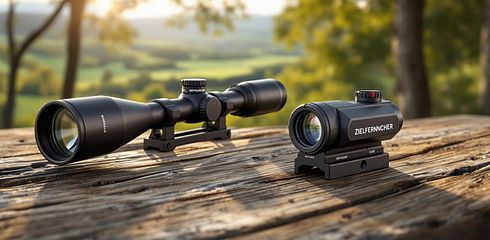
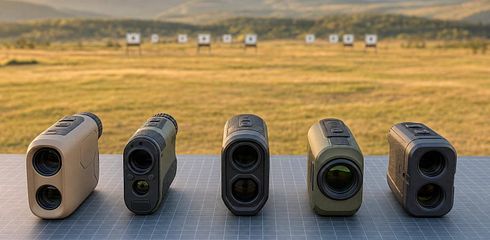
Laser aiming system or standard LRF: comparison

I’d choose a standard LRF if you usually have a clear line of sight to your target. Extra features are worthwhile if you need to distinguish multiple returns, account for angles, or use ballistic data. My first check: at least ten measurements per device and mode at known distances — including with foreground and background objects.
What matters to me isn’t the maximum range listed, but this: Does the device measure the right object?
| Criterion | Standard LRF | LRF with extra features |
|---|---|---|
| Target selection | Single measurement, scan on some models | Priority modes for multiple returns, depending on the model |
| Range and accuracy | Check manufacturer specifications and run your own tests | More features don’t guarantee more accurate readings |
| Operation | Usually fewer settings | Select modes and set up profiles if needed |
| Use | Clear line of sight from a stand, while stalking, and on a level shooting range | Overlapping targets, changing angles, or a need for ballistic data |
| Cost | Check the device, accessories, and condition | Also check for possible app costs and setup effort |
I also distinguish between <u>range measurement, target marking, and target illumination</u>. Especially before mounting it on a firearm, you need to check German law and the specific configuration. When buying, I therefore compare not just features, but also weight, battery, used condition, and current final prices in euros.
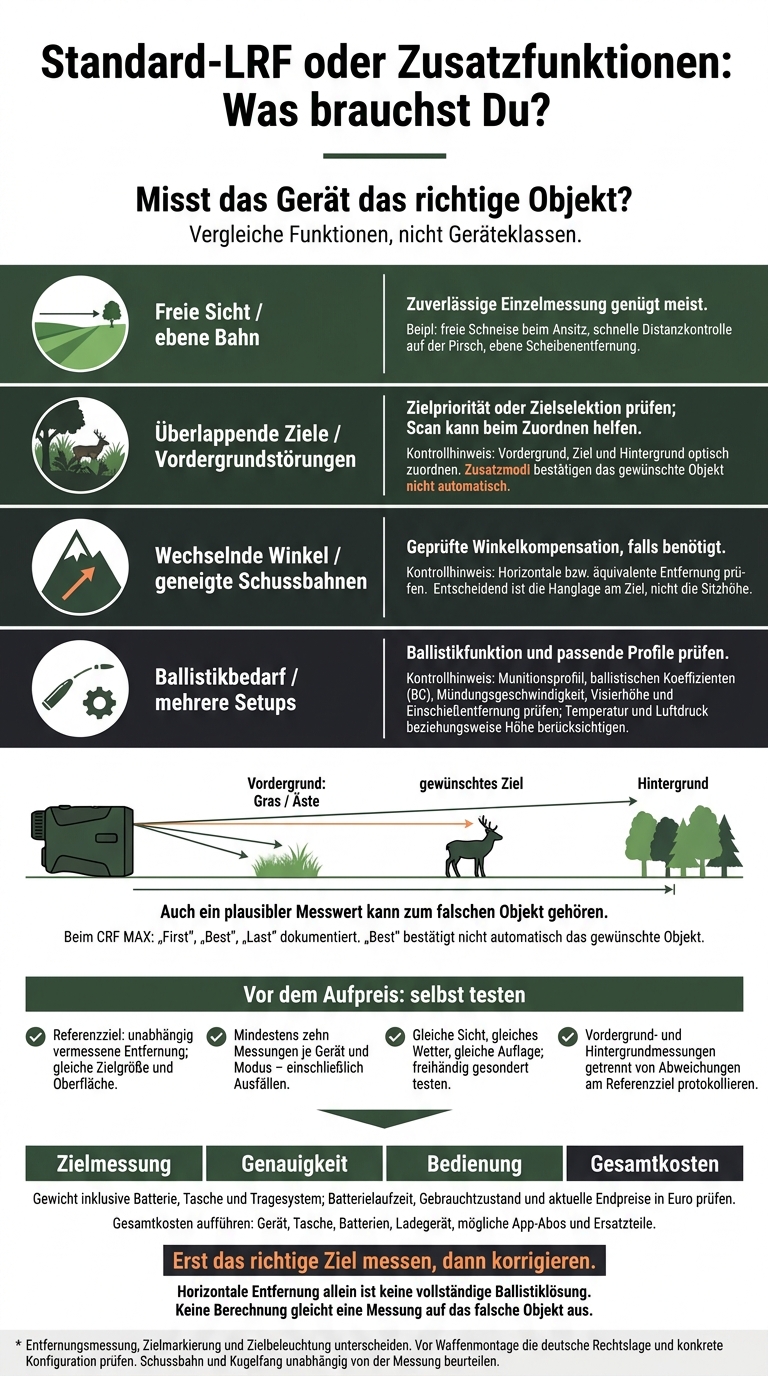
Standard LRF or extra features: What do you need?
Great Value! Laser Hunting Rangefinder! Rangefinder for Hunting, Golf, or Archery!
sbb-itb-1cfd233
Comparing Range, Accuracy, and Operation
Compare features, not device categories. The CRF 2800.COM serves here as a reference for single measurements and scanning. But with its ballistic function and app connectivity, it isn’t a standard LRF in the strict sense.[4] What matters is how useful it is from a stand, while stalking, and at the range — not how long its feature list is.
| Feature | Leica Rangemaster CRF MAX: Added value through target selection | Leica Rangemaster CRF 2800.COM: Comparison device |
|---|---|---|
| Target modes and return selection | “First,” “Best,” and “Last” documented[5] | Single measurement and scan documented; no priority selection confirmed[4] |
| Advertised maximum range | 3,700 yards, around 3,383 m[5] | Up to 2,600 m[4] |
| Specified accuracy | ±0.5 m at 10–200 m; ±1.0 m at 200–1,000 m[5] | About ±0.5 m at 10–200 m; ±1.0 m at 200–400 m[4] |
| Operation | Select target mode[5] | Single measurement; scan also available[4] |
| Ease of use | Understand and check the additional selection modes | Taking a measurement is simpler than setting up the ballistics |
Range isn’t the only factor; it also matters how reliably the device selects the return from your intended target. Even a plausible measurement can belong to the wrong object: grass, wire, or branches often produce the return instead of the game.[6]
| Feature | Operation compared with single measurement | Limitation |
|---|---|---|
| Priority mode | On the CRF MAX, select “First,” “Best,” or “Last”[5] | The near return may come from vegetation, while the far one may come from the background. “Best” doesn’t automatically confirm the intended object. |
| Single measurement | Aim and trigger | No additional selection aid when there are multiple objects |
| Scan | On the CRF 2800.COM, watch the continuous readings while scanning[4] | Changing numbers don’t reliably confirm the target. |
Horizontal distance alone is not a complete ballistics solution. The CRF 2800.COM provides horizontal distance measurements up to 1,100 m and a ballistics function up to 800 m.[4] To use it, check the ammunition profile, ballistic coefficient (BC), muzzle velocity, sight height and zeroing distance. Temperature and air pressure or altitude also matter.[3][4] Whether these features help in the field depends on the hunting scenario.
Use this short checklist for the range test:[3][4]
- Reference target: Use an independently measured distance and the same target size and surface for both devices. Maximum range claims are no guarantee for game-sized targets.
- Ten measurements: Record at least ten readings per device and mode, including failed readings.
- Same conditions: Keep visibility, weather and support constant. Test handheld separately.
- Target identification: Record foreground and background readings separately from deviations on the reference target.
Which type suits which use?
Once range and measurement errors are clear, it comes down to how you’ll use it: Which features do you actually need?
| Use | A basic LRF is usually enough | Extra features are worthwhile |
|---|---|---|
| Stand hunting | Clear field of view: single measurement | Overlapping objects: target selection |
| Stalking | Quick distance check: single measurement | Changing backgrounds: switch modes reliably without looking away from the target |
| Shooting range | Level range: distance measurement | Inclined shooting lanes: angle compensation |
Stand hunting: Clear field of view and vegetation in the foreground
When stand hunting, target selection helps distinguish the foreground from the target only when the two clearly overlap in the field of view.
| Condition | Suitable feature | Your check |
|---|---|---|
| Clear shooting lane | Single measurement | Aim clearly at the target |
| Overlapping foreground | Target selection or scan mode | Visually identify the foreground, target and background |
| Steep slope or significant difference in elevation | Angle compensation | Check the horizontal or equivalent distance |
For angle compensation, the slope at the target matters, not your seating height. Even if the measurement works, you must assess the bullet path and backstop independently.[7][8]
Stalking: handling and changing backgrounds
| Criterion | Simple operation | Advanced target selection |
|---|---|---|
| Quick access | Few settings to adjust | Select the right mode in advance |
| Changing backgrounds | Acquire the target at a glance | Switch modes confidently without taking your eyes off the target |
| Handling | Check the grip and measurement button | Switching modes must not interfere with observation |
| Dense cover or low contrast | Measurement may fail | Additional modes do not provide a reliable solution |
Test the device handheld and while wearing your usual hunting clothes. Can you reach the measurement button reliably? Does the image stay steady? Is the display readable both in a dark forest and against a bright background?
Also compare weight and battery life. If readings are inconsistent, a better vantage point is often the only solution.
Shooting range: repeatable readings and verified settings
| Task | Basic distance measurement | Also required |
|---|---|---|
| Check the distance to a target on level ground | Usually sufficient | Documented accuracy and repeatable readings |
| Measure angled shooting lanes | Provides the line-of-sight distance | Verified angle compensation, if needed |
| Longer distance or ammunition load change | Distance alone is not enough | Profile active, units correct, point of impact checked |
Check the units: meters, meters per second, and centimeters or milliradians. Note the active profile, settings, and point of impact. An app transfers data, but does not check the active profile.[9][10]
Weigh up features, budget, and setup
Once you know which features you need, consider price, condition, and ease of use. Your use for stand hunting, stalking, or at the shooting range should determine your purchase—not the model name. The term “laser targeting system” alone says nothing about the target selection or ballistics the device offers.
| Your needs | Required feature | What to look for |
|---|---|---|
| Measurement only | Reliable single measurement | Standard LRF with a clear display |
| Recurring foreground interference | Better target separation | Proven target priority, target selection, or scan mode; test in practice |
| Frequently changing angles | Angle compensation | Inclinometer with a clearly described output mode |
| Multiple setups | Ballistic profiles | Check data entry and app compatibility |
| As little setup as possible | Operation without an app | Few menus, measurement without prior app setup |
Only buy features you’ll actually use. Compare the total cost, not just the purchase price: device, case, batteries, charger, possible app subscriptions, and replacement parts. Also check whether repairs are possible and how much a replacement would cost if it gets damaged.
When considering weight, include the battery, case, and carrying system. Replaceable batteries can be swapped in the field. With a built-in battery, you’ll need to plan for charging and check in advance whether and how it can be replaced. Extra features can mean more weight, higher power consumption, and more of a learning curve.
Check models, used condition, and prices in Germany
For used devices, documented condition matters, not the label. On Gunfinder, you can search for new and used optics and accessories.[12][14]
Function: Check the model name, generation, and included items against the manufacturer’s manual. Check the minimum measuring distance, accuracy, IP rating, and operating temperature in °C. Make sure target separation, angle compensation, ballistics, and operation suit your needs. For ballistic devices, supported bullet data, profiles, sight height, zeroing distance, and app compatibility matter. A similar-looking successor model doesn’t prove that the device on offer has the same features.
Condition: Check the viewing window and display for scratches, clouding, moisture, and display errors. Also check the battery contacts, buttons, charging port, and seals for damage. If possible, test repeated measurements at known short, medium, and longer distances. Confirm in writing who the seller is, whether it’s a dealer or private sale, and the terms for the invoice, warranty, returns, and shipping. Save the description and photos.[13]
Price: Note the final price in euros, listing date, condition, and accessories. Use only current, dated listings for comparison—older prices are just snapshots. Compare identical versions, not the MSRP of one generation with the used price of another.
Before buying, also check whether the planned setup is legally permitted. This is especially important when mounting it on a firearm or adding features for target marking and illumination. If you’re unsure, ask a specialist dealer or the relevant authority; the manufacturer’s description is no substitute for checking.
Conclusion: Choose the features you need
A standard LRF is usually enough for unobstructed targets. A “laser targeting system” with target selection is only worthwhile if grass, branches, or the background regularly produce extra returns.[16][11]
Measure the right target first, then make adjustments: Check angle compensation and ballistics separately. Angle compensation accounts for elevation differences. Ballistics provides hold points—provided the firearm and ammunition data are correct and verified. No calculation can compensate for measuring the wrong object.[15][11]
Before paying extra, test target separation under your actual conditions of use. Record misreadings and the variation between repeated measurements. Decide based on the value of the measurements: target measurement, accuracy, ease of use, and total cost matter more than maximum range.[16][11][17]
FAQs
How can I tell if I measured the wrong object?
Unstable readings or implausible distances may indicate a misreading. Measure twice in quick succession. If the results differ significantly, the device probably picked up grass, a branch, or the terrain instead of the game.
Aim at the body or shoulder, not the legs or antlers. Also check that the angle mode and ballistic data match the situation. Wet or dirty lenses and poor visibility can reduce measurement accuracy. [1] [2]
How do rain and fog affect laser measurements?
Rain, fog, snow, and haze scatter the laser beam. This significantly reduces the effective range and makes misreadings more likely [1]. Wet or fogged-up lenses further affect measurement quality. So keep the lenses dry and clean [1].
If your rangefinder has a rain mode, you can switch it on in wet weather. It filters out reflections from raindrops or snowflakes, but it can't replace a clear line of sight [1].
How can I check whether my LRF works without an app?
To check whether your LRF works in the field without a smartphone connection: switch it on, aim at a target, and start a single or continuous measurement. Check whether the distance appears on the display.
If the device calculates ballistics itself and can be used after a one-time setup without any further input, you don't need an app in the field. If everything only works via Bluetooth and an app, it lacks standalone functionality. [1][2]