Check marketplace emails: guide for buyers and sellers
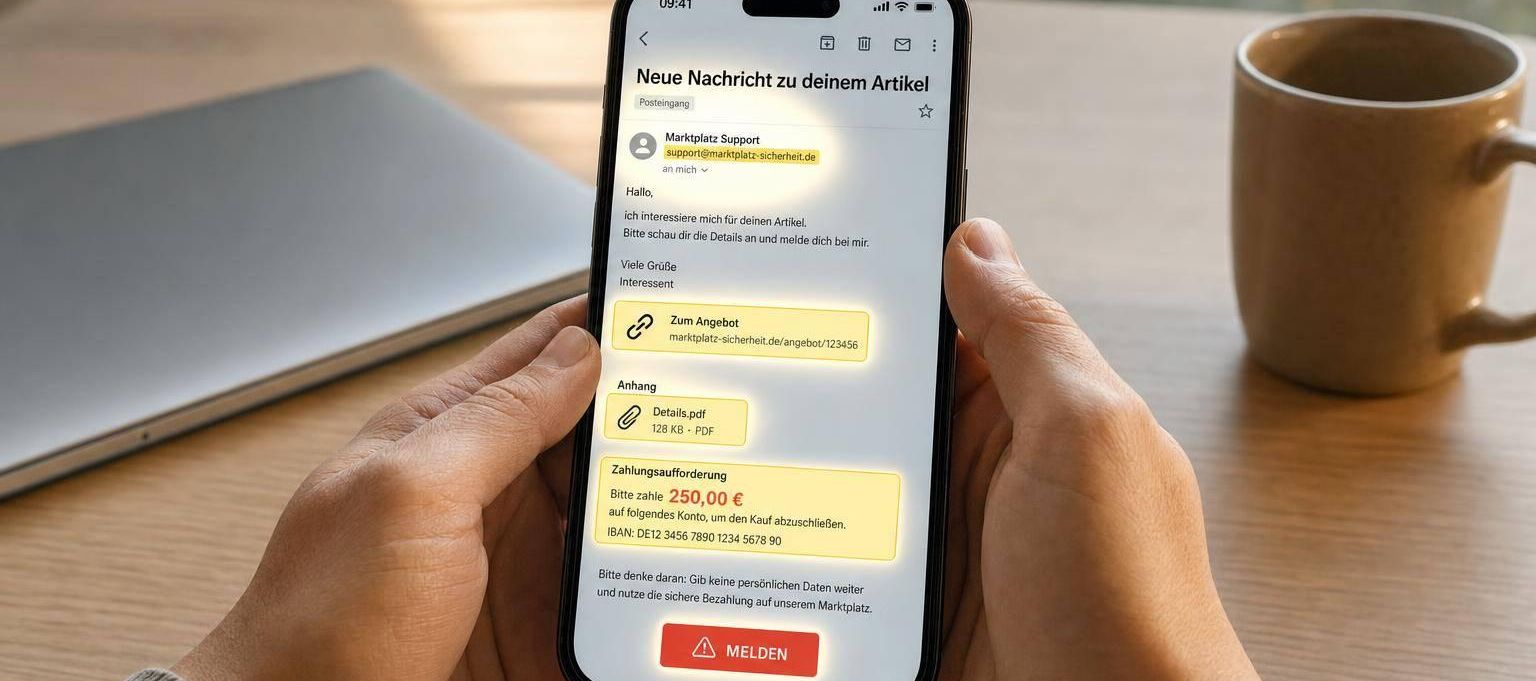
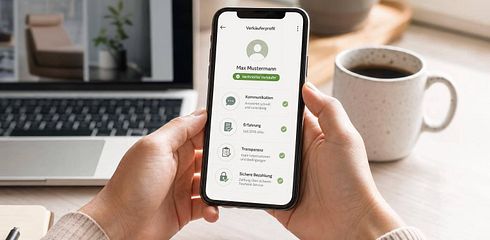
My quick summary: I never check marketplace messages in the inbox, but always directly in the account. This exactly reduces the risk of phishing, fake payment confirmations, and support tricks.
When I get an email or chat message, I first pay attention to sender, link target, pressure in the text, attachments, and payment demands. Even a single warning sign is enough for me to stop the process. According to the text, especially fake Gunfinder emails are circulating that target login and payment data.
Here’s what I check immediately:
-
Check sender: Only addresses with
@gunfinder.de -
Check links: Only
gunfinder.de,gunfinder.at, orgunfinder.ch - Don’t rush: Time pressure and threats are warning signs
- Don’t open unknown attachments: Especially ZIP files and Office files with macros
- No direct payment via email: Always check payment status in the account or bank account
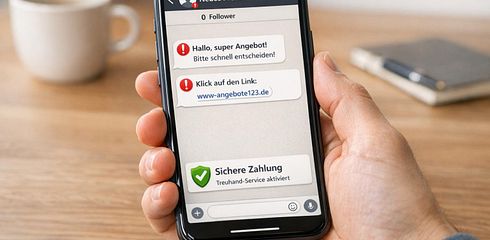
- Stay in chat: Don’t switch to WhatsApp or external email
-
Report suspicion: Forward to
[email protected]and secure evidence - Act after an incident: Change password and check account data
In short: I don’t click anything, I check everything directly in the account, and I report suspicious messages immediately. This covers the points that matter most for buyers and sellers in everyday life.
Recognize Fraudulent Emails & React Correctly – Phishing, Attachments & QR Codes
sbb-itb-1cfd233
Check Marketplace Emails – before you do anything
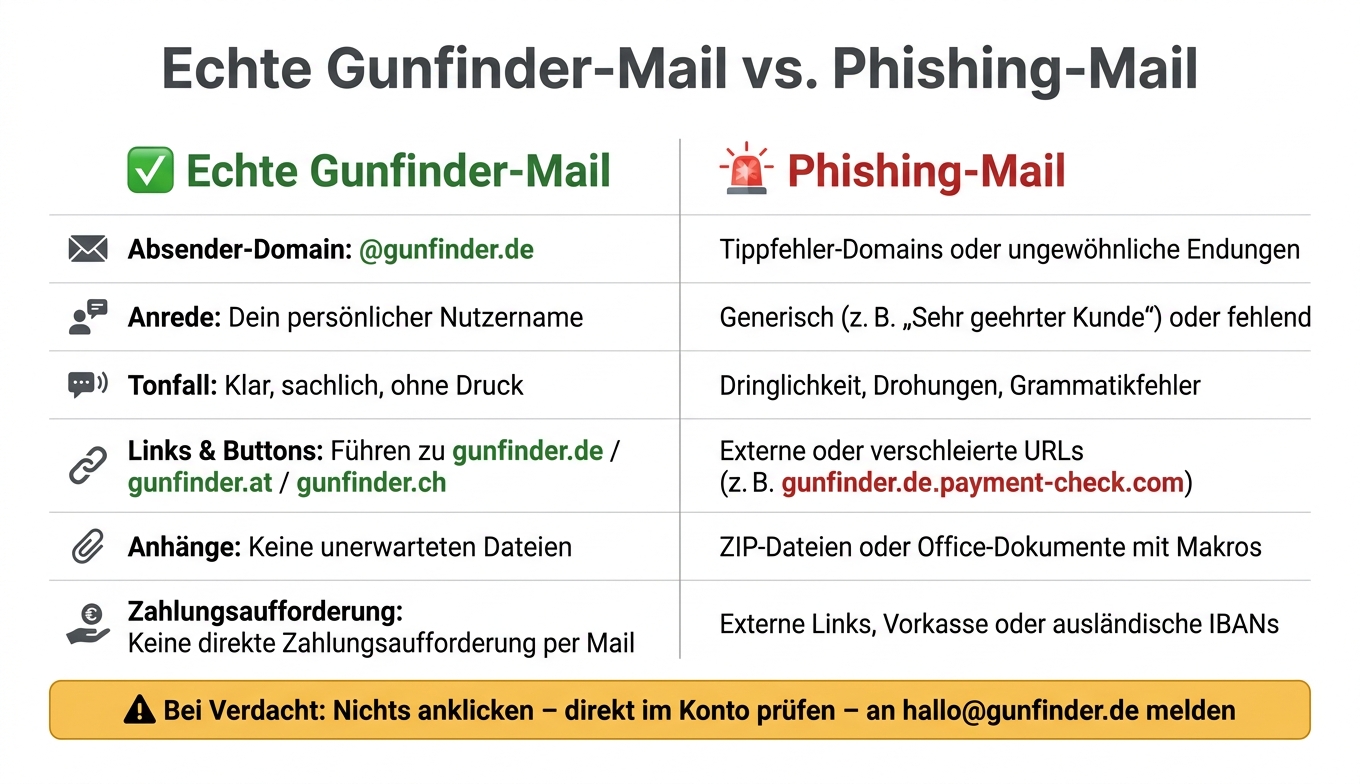
Real Gunfinder Email vs. Phishing Email: How to spot the difference
Before you click a link, open an attachment, or send money, take a close look at the sender, content, and target of the message.
Check sender and account reference
Hover your mouse over the sender name. This way you see the real email address. Only addresses with @gunfinder.de belong to Gunfinder. Everything else is a warning sign [1].
Real emails also include your username and refer to a process you can check in your account [1]. If this reference is missing, be cautious.
Recognize pressure tactics
Many fraudulent emails sound suspiciously similar. They use:
- generic greetings
- grammar mistakes
- strange phrasing
- time pressure
These exact points are considered warning signs [1]. If a message rushes you, it’s often no coincidence.
Assess buttons, attachments, and payment requests
Don’t open unexpected ZIP files or Office documents with macros. External payment links or forms in emails are also risky. Gunfinder never asks you to make direct payments via email [2][3].
Always check the target address of a button or link before clicking. If it does not lead to gunfinder.de, don’t click. Simple: If the path looks suspicious, leave it.
| Feature | Real Gunfinder Email | Phishing Email |
|---|---|---|
| Sender domain | Ends with @gunfinder.de | Typo domains or unusual endings |
| Greeting | Your username | Generic or missing |
| Tone | Clear, without pressure | Pressure, urgency, grammar mistakes |
| Links & buttons | Lead to gunfinder.de | External or disguised URLs |
| Attachments | No unexpected files | ZIP files or documents with macros |
| Payment request | No direct payment request via email | External links, prepayment, or foreign IBANs |
If in doubt: don’t click anything and check the message directly in your account. If the message comes via chat instead of email, the same rules apply.
Check marketplace chats and links with the same care
The same rules apply in chat as with emails. Only the channel is different, and everything often happens faster. The fraud pattern stays the same. Check in your own account first, then respond in chat.
Recognize Fraud Attempts in Buyer and Seller Chat
A particularly clear warning sign is the request to move the conversation to WhatsApp or an external email address [2][3]. So stay in the Gunfinder chat. Photos shared there automatically get watermarks [2][3].
If a message supposedly from Gunfinder support asks for your password or payment details, it is fake [1][5].
The most common scams in chat are shown in the overview:
| Fraud Type | Typical Message Pattern | Safe Reaction |
|---|---|---|
| Buyer Fraud | Claims to have transferred too much and wants the difference refunded | Check payment receipt directly in your bank account |
| Seller Fraud | Suspiciously low price, pressure for immediate payment, awkward language | Check IBAN country code (DE or AT) |
| Fake Support | Claims your account is locked and requests verification via a link | Ignore the message and contact [email protected] directly |
Another trick works like this: buyers say they have already paid and send a link to the shipping confirmation. Clicking it leads to a page asking for login details or another payment. Sounds harmless at first, but it’s not. Always check payment receipt directly in your bank account.
Check Links and Domains Before Opening
As soon as a message contains a link, first look at the target and domain. Hover your mouse over the link before clicking and check the displayed address. The official domains are gunfinder.de, gunfinder.at, and gunfinder.ch [1][4]. Anything else is risky.
Subdomain tricks are especially nasty. An address like gunfinder.de.secure-login.com looks clean at first glance. But the real domain here is secure-login.com. That’s the catch. The safest way is to type the address yourself into the browser bar.
| URL Example | Risk | Reason |
|---|---|---|
https://www.gunfinder.de/help |
Safe | Official domain with HTTPS |
https://gunfinder-sicherheit.de |
High | Not an official Gunfinder domain name |
https://gunfinder.de.payment-check.com |
High | Real domain is payment-check.com
|
http://gunfinder.de/login |
Medium | No HTTPS – never enter login details |
https://gufinder.de |
High | Typo domain (typosquatting) |
The lock icon in the browser bar only shows that the connection is encrypted. Nothing more. It does not indicate whether the site is trustworthy. So also check the imprint. If clear operator data is missing or the information seems vague, close the site immediately.
What to do if a message seems suspicious?
If sender, link, or tone seem odd, there is only one rule: don’t click anything, don’t reply, don’t pay.
Stop interaction and check payment in your account
Always open Gunfinder manually in your browser and never via a link in the message. That way you’re safe.
Then check directly in your account if payment, shipping, or order is recorded there at all. If nothing is in the system, that’s a clear warning sign. You can forward suspicious emails to [email protected]. [2][4]
Document and report the message
Take screenshots and note details like IBAN or phone number. It may seem trivial but can help a lot later.
Then report the case directly via the “Report listing” button on the platform or forward the message to [email protected]. If money is already lost or the fraud attempt is obvious, file a report with the police. Bring the chat history, transaction numbers, and account details. [1][4]
Afterwards, you should immediately secure your accounts.
Secure accounts after a suspicion
Change your password immediately under “My Profile”. Also check if your email address or bank details have been changed. [1]
Conclusion: Secure processes for communication on Gunfinder
Stick to three firm rules: check in your account, stay in the Gunfinder chat, and report immediately if suspicious. This routine applies to every email, every chat message, and every payment request.
The most important checks for every message and payment
The following checklist summarizes the key steps for buyers and sellers.
| Step | Buyer | Seller | What it protects against |
|---|---|---|---|
| Contact | Stay only in the Gunfinder chat | Reply only in the Gunfinder chat | Switch to WhatsApp or external email |
| Identity | Check verified status; secure identity only in chat | Check buyer identity only in chat | Fake profiles and identity fraud |
| Documents | Share photos and ID data only in chat | Share photos and ID data only in chat | Misuse of sensitive documents |
| Payment | Check IBAN country code and confirm payment only in your own account | Verify payment receipt in account before shipping | Payment fraud and fake payment confirmations |
| Delivery | Use only secure, traceable delivery methods | Ship only via secure, traceable shipping methods | Loss of goods and legal issues |
If a message violates even one of these patterns, stop the process and check everything directly in your account. Only what you have checked yourself in your own Gunfinder account is safe.
If a message seems suspicious to you—whether because of tone, sender, link target, or payment request—simply follow this rule: Stop interaction, document the incident, and report it to [email protected].
FAQs
How do I recognize a genuine Gunfinder email?
You can recognize a genuine Gunfinder email by the sender address ending with @gunfinder.de, it addressing you by your username, and being sent to the address you registered with at Gunfinder.
Be cautious if the language is awkward or strange, the personal greeting is missing, the sender domain is incorrect, or the address seems unfamiliar. In that case: Do not click any links, do not enter any data, and forward the suspicious email to [email protected].
What should I do immediately if I receive a suspicious message?
The most important rule is simple: Do not disclose any data and do not click any links.
If something seems off, report the incident immediately. This allows the issue to be investigated and other users to be protected faster.
Forward suspicious emails to Gunfinder. Report suspicious users or listings directly via the platform or also by email.
In case of a concrete fraud case, you should also file a report with the police and secure all important data, such as the entire message history.
How do I check if a link really belongs to Gunfinder?
First, check the sender address: A legitimate email from Gunfinder ends with @gunfinder.de.
You should be suspicious if there are language errors, a wrong greeting with your username, or if the message is sent to an email address you have not registered with Gunfinder. In such a case: do not click any links, do not enter any data, and if in doubt, contact support directly at [email protected].